


Remote work is now a standard way of operating for many businesses. Teams are spread across cities, time zones, and sometimes even continents. While this setup offers flexibility, it also creates challenges in coordination, visibility, and accountability. Managing tasks through emails or chats alone often leads to missed deadlines and confusion.
This is where free task management software becomes useful. It helps teams organise work, track progress, and stay aligned without adding extra cost. For startups, agencies, and distributed teams, this can be a practical starting point to build a structured workflow.
Why Remote Teams Need Structured Task Management
When teams are not working from the same office, simple communication gaps can affect productivity. A missed update or unclear task ownership can delay entire projects. Some common challenges remote teams face include:
- Lack of visibility into who is doing what
- Difficulty in tracking deadlines
- Miscommunication across different channels
- Duplicate or missed tasks
- Limited accountability
Without a central system, these issues grow over time. A structured task management approach solves this by creating a single source of truth for all work-related activities.
What Free Task Management Software Offers
A good task management system helps teams organise work without making the process complex. Even a basic free tool can support essential functions needed for remote collaboration.
Core Features You Can Expect
- Task creation and assignment
- Due dates and reminders
- Status tracking (pending, in progress, completed)
- Basic reporting or activity logs
- Collaboration through comments or updates
These features may seem simple, but they form the foundation of a reliable workflow. For remote teams, consistency matters more than complexity
How It Keeps Remote Teams on Track
Using free task management software creates clarity across the team. Everyone knows their responsibilities and deadlines without needing constant follow-ups.
1. Clear Task Ownership
Each task is assigned to a specific person. This removes confusion and ensures accountability. Team members can focus on their work without waiting for instructions.
2. Better Deadline Management
With visible timelines, teams can plan their work more effectively. Delays are easier to identify early, which helps in taking corrective action.
3. Centralised Communication
Instead of scattered updates across emails or chats, discussions stay linked to tasks. This keeps information organised and easy to access.
4. Real-Time Progress Tracking
Managers and team members can check the status of work anytime. This reduces the need for frequent status meetings.

Key Use Cases Across Remote Teams
Different types of teams benefit from structured task tracking in their own way. Here are a few practical examples:
IT and Development Teams
- Track feature development and bug fixes
- Manage sprint tasks and updates
- Maintain clarity on pending work
Marketing Teams
- Plan campaigns and content schedules
- Assign design and writing tasks
- Monitor timelines for launches
Agencies
- Handle multiple client projects at once
- Assign tasks across departments
- Ensure timely delivery
Startups
- Manage limited resources effectively
- Keep teams aligned with business goals
- Avoid delays due to unclear priorities
In all these cases, free task management software supports better coordination without adding operational cost.
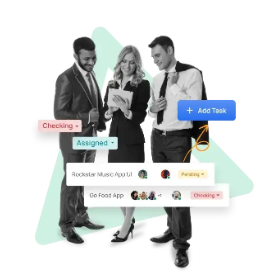
Comparing Manual vs Software-Based Task Management
The difference between manual tracking and using software becomes clear when teams grow or projects become complex.
| Aspect | Manual Tracking | Task Management Software |
| Task Visibility | Limited | Centralised and clear |
| Updates | Scattered across tools | Structured and organised |
| Accountability | Often unclear | Clearly assigned |
| Deadline Tracking | Easy to miss | Automated reminders |
| Collaboration | Fragmented | Integrated within tasks |
This shift improves both efficiency and clarity in day-to-day operations.
What to Consider Before Choosing a Tool
Not all tools suit every team. Even when choosing a free option, it is important to check whether it fits your workflow.
Ease of Use
The interface should be simple enough for all team members to adopt quickly. Complicated systems slow down adoption.
Scalability
Even if you start with a small team, your needs may grow. Choose a tool that can handle more users and tasks later.
Access and Mobility
Remote teams often work from different devices. The tool should work well on both desktop and mobile.
Collaboration Features
Basic commenting and updates within tasks can reduce dependency on external communication tools.
Data Organisation
Tasks should be easy to categorise by project, priority, or team member.
Best Practices for Remote Teams
Using free task management software is only effective when combined with the right work habits. A few simple practices can improve results:
Define Tasks Clearly
Avoid vague instructions. Each task should include clear details, deadlines, and expected outcomes.
Keep Updates Regular
Encourage team members to update task status regularly. This keeps everyone informed without extra meetings.
Avoid Overloading the System
Do not add unnecessary tasks or duplicate entries. Keep the system clean and relevant.
Use Priorities Wisely
Mark important tasks clearly so that teams focus on what matters first.
Review Progress Weekly
A quick weekly review helps identify delays and improve planning.
Common Mistakes to Avoid
Even with the right tool, some common mistakes can reduce effectiveness:
- Assigning tasks without clear deadlines
- Not updating task status regularly
- Using multiple tools for the same purpose
- Ignoring completed tasks instead of closing them
- Overcomplicating workflows
Avoiding these ensures that the system remains useful and easy to maintain.
Why Free Tools Are a Practical Starting Point
For many businesses, especially startups and small teams, budget is always a consideration. Investing in paid software without understanding actual needs can lead to unnecessary expense.
Free task management software allows teams to:
- Test structured workflows without risk
- Understand their exact requirements
- Build discipline in task tracking
- Scale gradually when needed
This approach keeps operations lean while still improving productivity.
Conclusion
Remote work requires clarity, structure, and consistent communication. Without the right system, even simple tasks can become difficult to manage. A well-organised approach to task tracking helps teams stay aligned and focused.
By using this software, businesses can create a central workspace where tasks, deadlines, and updates are clearly visible. This improves accountability and reduces confusion across distributed teams.
For organisations looking to manage remote work efficiently, adopting a structured system is not optional anymore. It is a basic requirement for smooth operations. TaskOPad Solutions Private Limited can support teams in building this structure and maintaining consistency in daily work.
