

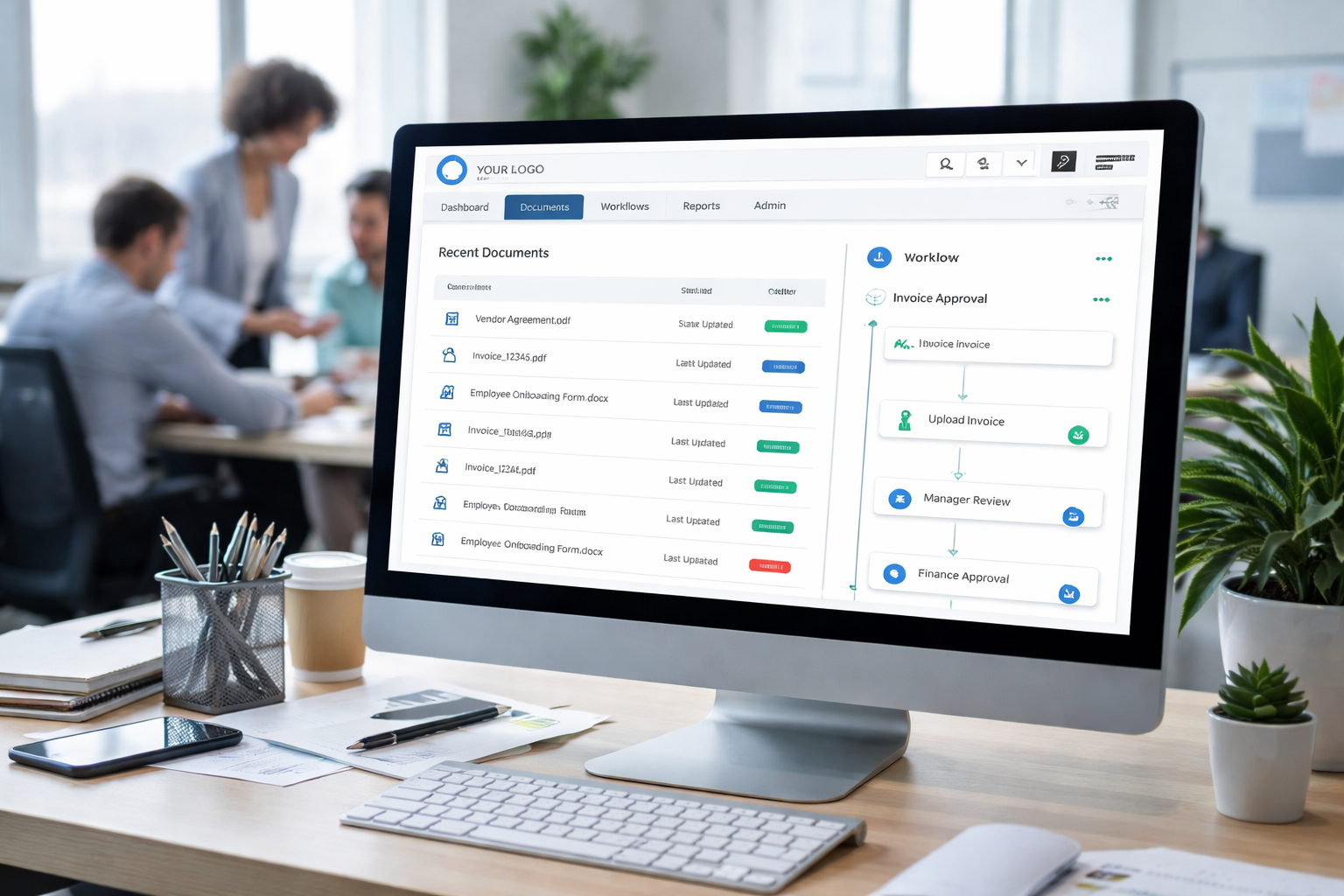
Organizations are producing more documents than ever before. Contracts, invoices, onboarding forms, HR records, compliance files, internal SOPs, meeting notes, product documentation, customer support attachments, and a constant stream of PDFs, images, and spreadsheets are created daily. Yet in many companies, documents still live across email threads, shared drives, employee desktops, WhatsApp attachments, and multiple cloud folders with inconsistent naming and permissions.
This is exactly why modern businesses are moving beyond “file storage” and toward workflow-driven systems that manage documents end-to-end. A scalable document management system is not just about uploading files. It is about capturing information, classifying it correctly, securing it, enabling collaboration, tracking approvals, and making retrieval fast and reliable at any scale.
In this guide, we will explore how to design and build a scalable document management system, why workflow matters more than folders, and how White Label Document Management solutions enable faster launches for SaaS providers, agencies, IT vendors, and enterprises that want their own branded platform.
Why Document Management Is No Longer Just a Storage Problem
Many businesses assume document management means “a better drive.” But storage is only one part of the challenge. The real issues start after a file is uploaded:
- Teams cannot find the latest version
- Employees use outdated templates
- Files get duplicated across departments
- Approvals happen in emails with no audit trail
- Sensitive files are shared without controls
- Compliance reporting becomes a manual nightmare
- Onboarding or client operations slow down because documents are scattered
A scalable document management system must address the full lifecycle, including how documents are created, reviewed, approved, signed, stored, and retrieved.
This shift is why modern platforms are described as workflow engines rather than file cabinets. The moment you connect documents to tasks, users, roles, and business rules, you move from static storage to operational efficiency.
What Makes a Document Management System Truly Scalable
Scalability is often misunderstood as “it can store a lot of files.” In reality, scalability is a combination of performance, architecture, governance, and long-term maintainability.
A scalable document management system must support:
High Volume and High Concurrency
A system might have millions of documents and thousands of active users. It must handle concurrent uploads, searches, previews, and edits without delays.
Multi-Tenant Readiness for SaaS
If you plan to offer the product to multiple clients, you need tenant isolation, tenant-level configurations, and secure data separation.
Advanced Search and Indexing
Without strong search, documents become invisible. Scalability requires search indexing, metadata extraction, OCR support, and fast retrieval.
Permissions That Don’t Break at Scale
As teams grow, permissions become complex. A scalable system needs role-based access control, group-based permissions, inheritance rules, and audit logs.
Workflow Flexibility
A scalable system must support different workflows across departments, industries, and client types. A one-size workflow quickly becomes a bottleneck.
Compliance and Auditability
Scalable systems must be built with compliance in mind, including retention policies, audit trails, access history, and tamper resistance.
Understanding the Difference Between File Management and Workflow-Based Document Management
File management systems focus on organizing and storing documents. Workflow-based document management focuses on how documents move through the organization.
Here is the practical difference:
File-Based Approach
- Upload → store → download
- Folder structures define organization
- Minimal automation
- Approvals happen outside the system
Workflow-Based Approach
- Capture → classify → route → review → approve → sign → archive
- Metadata defines organization
- Automation triggers tasks and notifications
- Every action is logged and trackable
When companies shift to workflows, they reduce delays, errors, and compliance risks. They also improve customer experience because teams can respond faster with the right documents instantly.
Why White Label Technology Is Changing How Document Platforms Are Built
Building a full document management system from scratch can take months or even years. It requires significant investment in backend infrastructure, security engineering, UI/UX design, search performance, workflow logic, and compliance.
This is where White Label Document Management becomes a strategic shortcut.
Instead of building everything from the ground up, organizations can use a ready-made platform that is:
- Fully branded under their business identity
- Customizable by modules and features
- Deployable as SaaS or on-premise
- Extendable through APIs and integrations
For SaaS founders, IT companies, digital agencies, and system integrators, a white label document management system reduces time-to-market while still allowing product ownership and branding control.
What Is a White Label Document Management System and Who Should Use It
A white label document management system is a pre-built document platform that can be rebranded and configured to match your business identity. The platform provider builds the core system, and you sell or deploy it under your own name.
This model is ideal for:
SaaS Startups
You can launch a document platform quickly, validate the market, and then expand features based on demand.
IT Service Providers
You can offer document solutions to clients as part of your managed services portfolio.
HR, Legal, and Compliance Vendors
You can add document workflows as a core feature in your product suite.
Healthcare, Finance, and Insurance Companies
You can deploy a secure document platform internally without long development cycles.
Digital Transformation Consultants
You can deliver a complete solution quickly while focusing on process mapping and client outcomes.
Key Business Use Cases Where White Label Document Management Software Delivers Fast ROI
Document management becomes valuable when tied to real operational workflows. Some of the most profitable and high-impact use cases include:
HR and Employee Records
- Offer letters and employment agreements
- Onboarding documents
- Training records and certifications
- Performance review documents
- Policy acknowledgements
Legal and Contract Management
- Contract drafting and collaboration
- Approval workflows
- Version control
- E-signature integration
- Renewal reminders
Finance and Accounting
- Invoice storage and approvals
- Purchase orders and vendor documents
- Expense receipts and audits
- Tax documentation
Healthcare and Patient Documentation
- Consent forms
- Reports and prescriptions
- Compliance records
- Staff credentialing documents
Real Estate and Property Management
- Lease agreements
- Tenant KYC documents
- Property inspection reports
- Maintenance records
Logistics and Supply Chain
- Bills of lading
- Proof of delivery
- Customs documentation
- Vendor compliance certificates
When implemented correctly, White Label Document Management Software reduces processing time, prevents document loss, improves compliance, and increases operational visibility.
Core Modules Every Scalable Document Management System Must Include
A scalable system is modular. This ensures you can grow features without rebuilding the platform.
Document Capture and Upload Layer
This module should support:
- Web uploads
- Bulk upload
- Mobile capture
- Email-to-document ingestion
- Scanner integration
- API ingestion from other platforms
A strong capture layer reduces manual work and ensures documents enter the system consistently.
Metadata and Classification Engine
Metadata is what makes documents searchable and workflow-ready. You should support:
- Custom metadata fields
- Industry-specific templates
- Auto-tagging rules
- AI-based classification
- OCR extraction for scanned PDFs
This module is essential for scalability because it prevents folder chaos.
Version Control and Change Tracking
A document system without versioning becomes unreliable quickly. The system must include:
- Automatic version increments
- Check-in/check-out
- Comments and change notes
- Compare versions (where possible)
- Restore previous versions
Workflow and Automation Engine
This is the heart of modern document management. It should support:
- Approval routing
- Conditional workflows
- Role-based workflow rules
- Task assignments
- SLA tracking
- Automated notifications
- Escalation rules
Access Control and Security
A scalable system must enforce:
- Role-based access control
- Department-level access
- Document-level restrictions
- Secure share links with expiry
- IP restrictions (optional)
- Two-factor authentication support
Search, Indexing, and Retrieval
Search must be fast even with millions of documents. The platform should include:
- Full-text search
- Metadata search
- OCR search for scanned documents
- Filters by type, owner, date, tags
- Saved searches
- Search analytics (for admins)
Audit Logs and Compliance Management
You need:
- Access logs
- Activity logs
- Workflow history
- Document history
- Exportable audit reports
- Retention policies and legal holds
Designing Workflow-First Information Architecture Instead of Folder-First Organization
Folders seem intuitive, but they break at scale because people create inconsistent structures. A workflow-first design means documents are organized by:
- Document type
- Business process
- Ownership and roles
- Lifecycle status
- Metadata fields
- Workflow stage
For example, instead of “Finance > Vendors > Vendor A > 2026,” the system could store documents as:
- Document type: Vendor Invoice
- Vendor: Vendor A
- Department: Finance
- Status: Pending Approval
- Month: January 2026
This structure makes automation and reporting possible.
Step-by-Step Process to Build a Scalable Document Management System
Whether you are building from scratch or customizing a white label platform, the process should follow a structured roadmap.
Step 1: Define Your Document Types and Business Processes
Start by listing:
- Document types (contracts, invoices, HR forms, etc.)
- Users and roles involved
- Current approval processes
- Compliance requirements
- Pain points and delays
This step prevents overbuilding and ensures the platform matches real workflows.
Step 2: Plan Your User Roles and Permission Model Early
Permissions are difficult to fix later. Define:
- Admin roles
- Department managers
- Contributors
- View-only users
- External users (vendors, clients)
Then define what each role can do:
- Upload
- Edit
- Approve
- Delete
- Share
- Export
Step 3: Choose a Storage Strategy That Supports Scale
Storage must be secure, cost-efficient, and fast. Your strategy should include:
- Object storage for documents
- Separate metadata database
- CDN for fast previews
- Encryption at rest and in transit
Step 4: Build a Workflow Engine That Supports Multiple Scenarios
Workflows should be configurable. A scalable design supports:
- Sequential approvals
- Parallel approvals
- Conditional branches
- Auto-approval thresholds
- Manual overrides
Step 5: Implement Search as a First-Class Feature
Search cannot be an afterthought. You need:
- Indexing pipelines
- OCR processing queues
- Metadata indexing
- Permission-aware search results
Step 6: Add Integration Points From the Beginning
Document systems rarely operate alone. Common integrations include:
- CRM platforms
- ERP systems
- Accounting tools
- HRMS systems
- E-signature providers
- Cloud storage platforms
- Identity providers (SSO)
A scalable platform provides APIs and webhooks.
Step 7: Focus on UX That Reduces Friction
Even the best backend fails if users avoid the system. UX must include:
- Fast upload and preview
- Drag-and-drop support
- Clear workflow status
- Simple sharing options
- Easy search and filters
- Document templates
Technology Stack Considerations for Performance, Security, and Long-Term Growth
A scalable document management system is a combination of services, not a single monolith.
Backend Architecture
A modern approach often includes:
- Microservices or modular monolith
- Event-driven processing for OCR and indexing
- Background job queues
- Scalable authentication services
Database and Metadata Layer
Metadata is usually stored in:
- Relational databases for structured fields
- NoSQL databases for flexible metadata
- Search engines for indexing and retrieval
File Storage Layer
Documents should be stored using:
- Object storage
- Encrypted buckets
- Versioned storage
- Redundant backups
Search Engine
For enterprise-grade search, you typically need:
- Full-text indexing
- Tokenization and language support
- Permission-aware filtering
- High availability
OCR and Document Intelligence
To support scanned documents and PDFs:
- OCR processing
- Text extraction
- Auto-tagging
- Document classification
Security Layer
A scalable system must include:
- Encryption
- Access token security
- Session controls
- Audit logging
- Data loss prevention options
Why White Label Document Management Is the Fastest Way to Launch a Market-Ready Platform
Many businesses want to offer document solutions but do not want to become a document infrastructure company. That is the key reason white label platforms are growing rapidly.
White label document management allows you to:
- Launch in weeks instead of months
- Reduce engineering cost
- Start with proven workflows
- Deliver enterprise-grade features immediately
- Scale across multiple clients and industries
- Focus on branding, sales, and customer success
A well-built white label document management system is especially valuable when your goal is to package document workflows as part of a larger product suite.
Customization Options That Matter Most in White Label Document Management Software
White labeling is not just about logo placement. Real customization should include:
Branding and UI Customization
- Custom logo and theme
- Branded login and email templates
- Custom domain support
- White labeled client portal
Workflow Configuration
- Custom approval steps
- Industry-specific templates
- Department-based routing
- SLA rules and escalations
Document Templates and Smart Forms
- Pre-built document templates
- Form-based document generation
- Auto-filled data from CRM/ERP
Custom Modules
- Contract management module
- Invoice approval module
- HR onboarding module
- Compliance and audit module
Integrations and APIs
A scalable platform must allow:
- REST APIs
- Webhooks
- Integration with identity providers
- Integration with e-signature tools
Security and Compliance Requirements You Must Build Into the System
Document systems often store highly sensitive information. Security is not optional.
A scalable document management system must support:
Role-Based Access Control and Permission Inheritance
You should be able to define:
- Who can access a document
- What actions they can perform
- How permissions inherit across departments and projects
Encryption Standards
At minimum:
- Encryption at rest
- Encryption in transit
- Secure key management
Audit Logs and Activity Monitoring
A complete audit trail should track:
- Uploads
- Views
- Downloads
- Edits
- Shares
- Approval actions
- Deletions
Retention Policies and Archiving
Many industries require documents to be stored for a fixed period. The system must support:
- Retention rules by document type
- Auto-archiving
- Legal holds
- Secure deletion policies
Secure External Sharing
External sharing should include:
- Expiring links
- Password protection
- Download restrictions
- Watermarking options
Building Multi-Tenant Architecture for SaaS White Label Deployments
If you are launching a SaaS product, multi-tenancy is one of the most important technical requirements.
A white label document management system should support:
Tenant Isolation
Each client should have:
- Separate data boundaries
- Tenant-level encryption keys (ideal)
- Tenant-specific branding and configurations
Tenant Admin Controls
Clients should be able to:
- Manage their own users
- Configure workflows
- Set retention policies
- Access analytics and audit logs
Billing and Subscription Readiness
For SaaS monetization, you may need:
- User-based pricing
- Storage-based pricing
- Workflow-based pricing
- Feature-based plans
How to Ensure Performance at Scale Without Sacrificing User Experience
Performance issues destroy adoption. If search is slow or uploads fail, users will revert to email and shared drives.
To ensure performance:
Use Asynchronous Processing for Heavy Tasks
Tasks like OCR, indexing, and PDF previews should run in background queues.
Optimize File Previews
Instead of forcing downloads:
- Generate preview thumbnails
- Provide in-browser PDF viewers
- Cache frequently accessed documents
Make Search Permission-Aware and Fast
Search should return only documents the user is allowed to access, without slowing down queries.
Add Monitoring and Observability
A scalable platform should include:
- Logs
- Metrics
- Performance dashboards
- Error alerting
Common Mistakes to Avoid When Building a Document Management System
Many document platforms fail not because of missing features, but because of architectural and adoption mistakes.
Mistake 1: Treating Metadata as Optional
Metadata is what makes documents searchable and workflow-driven. Without it, the system becomes another folder mess.
Mistake 2: Building Workflows That Are Too Rigid
Different departments need different approval logic. Workflow configuration is critical.
Mistake 3: Underestimating Permission Complexity
Permissions always grow. If your model is too simple, you will face security issues later.
Mistake 4: Ignoring External Collaboration Needs
Many workflows involve vendors, clients, and partners. Secure external sharing must be built-in.
Mistake 5: Forgetting Compliance Requirements Until Late
Compliance cannot be “added later.” It affects storage, logging, retention, and user access design.
Monetization Opportunities for Businesses Offering White Label Document Management
If you are planning to sell document management as a product, white labeling can unlock multiple revenue streams.
SaaS Subscription Model
Offer tiered pricing based on:
- Users
- Storage
- Workflows
- Integrations
Industry-Specific Packages
Create packages for:
- HR document management
- Legal contract workflows
- Finance invoice approvals
- Healthcare documentation
Managed Services Model
Provide:
- Setup and onboarding
- Workflow configuration
- Compliance consulting
- Support and maintenance
Enterprise Licensing
Offer:
- Dedicated deployments
- On-premise installation
- Custom integrations
- Advanced compliance features
Future Trends in Workflow-Driven Document Management Systems
Document management is evolving rapidly due to AI, compliance pressures, and the growth of remote work.
Key trends include:
AI-Based Document Classification
AI will auto-detect document types and apply metadata without manual tagging.
Intelligent Search and Q&A
Instead of searching by keyword, users will ask questions like:
“Show me all contracts expiring next quarter.”
Automated Compliance Reporting
Systems will generate audit-ready reports automatically.
No-Code Workflow Builders
Admins will configure workflows visually without developer involvement.
Deeper Integration With Business Systems
Document platforms will connect directly with ERP, CRM, HRMS, and finance systems to automate document creation and routing.
Conclusion
Document management is no longer a file storage problem. It is a workflow and operational efficiency problem. A scalable document management system must support metadata-driven organization, enterprise-grade security, flexible workflows, high-performance search, and compliance readiness.
For organizations that want to launch quickly while maintaining full branding and product ownership, White Label Document Management is one of the most practical and scalable approaches. A strong white label document management system enables faster go-to-market, lower development cost, and the flexibility to serve multiple industries with configurable workflows.
When designed correctly, White Label Document Management Software becomes more than a tool. It becomes a core operational platform that improves speed, reduces risk, and scales with business growth.
Frequently Asked Questions
What is White Label Document Management and how does it work?
White Label Document Management is a ready-made document platform that can be rebranded and customized under your company name. You get the core document storage, workflow, search, and security features while controlling branding, pricing, and customer experience.
Who should use a white label document management system?
A white label document management system is ideal for SaaS startups, IT service providers, digital agencies, HR vendors, legal tech companies, and enterprises that want a fast deployment without building the entire system from scratch.
What features should White Label Document Management Software include?
White Label Document Management Software should include document capture, metadata tagging, version control, workflow automation, role-based access control, audit logs, retention policies, and fast full-text search with indexing.
Can a white label document management system support multi-tenant SaaS deployments?
Yes. A modern white label document management system can support multi-tenancy with tenant-level branding, tenant admin controls, isolated data storage, and configurable workflows per client.
How do workflows improve document management compared to folders?
Workflows automate approvals, route documents to the right people, track status, and create audit trails. Unlike folders, workflows reduce delays, eliminate version confusion, and ensure documents move through the business process correctly.
Is White Label Document Management secure enough for regulated industries?
Yes, if the platform includes encryption, role-based access control, audit logs, retention policies, and secure sharing controls. For regulated industries, compliance features must be built into the architecture from the start.
How long does it take to launch White Label Document Management Software?
Launch timelines depend on customization, integrations, and deployment model. However, compared to building from scratch, White Label Document Management Software can typically be deployed much faster because core modules are already built and tested.
Can I integrate a document management system with CRM, ERP, or HR platforms?
Yes. A scalable document management system should provide APIs and integration options so it can connect with CRM, ERP, HRMS, accounting platforms, e-signature tools, and identity providers.
What is the biggest mistake companies make when implementing document management?
The biggest mistake is treating document management as only storage. Without workflows, metadata, permissions, and compliance controls, the system becomes another drive that employees avoid using.
Can White Label Document Management be customized for different industries?
Yes. One of the biggest advantages of White Label Document Management is that it can be configured with industry-specific workflows, document templates, metadata fields, and compliance settings, making it suitable for multiple verticals.
