

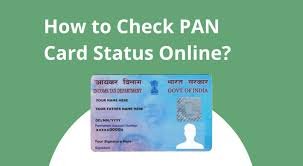
In today’s digital era, tracking important documents like the PAN card and Aadhaar card status has become effortlessly efficient. Both of these documents are crucial for numerous financial transactions in India. The Permanent Account Number (PAN) card is essential for filing taxes and various financial services, while the Aadhaar card serves as a unique identity proof.
In this article, we will explore step-by-step methods to check your PAN card status and Aadhaar status online.
Understanding PAN Card and Aadhaar Card
What is a PAN Card?
A PAN card is a 10-digit alphanumeric number issued by the Income Tax Department of India. It is mandatory for various financial activities such as filing tax returns, opening bank accounts, and conducting high-value transactions. The PAN card serves as a unique identifier for Indian citizens engaging in taxable financial activities.
What is an Aadhaar Card?
The Aadhaar card is a unique identification number issued by the Unique Identification Authority of India (UIDAI). It serves as proof of identity and address and is based on biometric and demographic data. Aadhaar is increasingly used for various services, including government subsidies and bank accounts.
Why Tracking is Important
Tracking the status of your PAN card and Aadhaar card is crucial for several reasons:
1. Helps in Planning
Knowing the status can help you make financial plans accordingly.
2. Avoids Delays
Keeping tabs on your application can avoid future hassles, particularly when you need the documents urgently.
3. Document Verification
Ensuring that your details are correct and verified helps in preventing identity theft and fraudulent activities.
Step-by-Step Guide to Track Your PAN Card Status
Step 1: Visit the Official PAN Website
To check your PAN card status, start by visiting the official website of the Income Tax Department at www.incometax.gov.in.
Step 2: Locate the ‘Track PAN Status’ Section
On the homepage, navigate to the ‘Services’ section. Look for ‘Track PAN Application Status’ or a similar option.
Step 3: Input Required Information
You will be redirected to a new page. Here, you need to enter the following details:
- Your name
- Date of birth
- Acknowledgment number (provided when you applied for the PAN)
Step 4: Submit Your Information
After filling in the necessary details, click on the submit button. The system will process your request and display your PAN card status.
Step 5: Interpretation of Status
The status could be one of the following:
- Application Received: Your application is under process.
- PAN Allotted: Your PAN number has been assigned, and the card is being printed.
- Dispatched: The PAN card has been dispatched to your registered address.
Step-by-Step Guide to Check Aadhaar Status
Step 1: Visit the Official UIDAI Website
To check your Aadhaar status, visit the official UIDAI website at www.uidai.gov.in.
Step 2: Navigate to ‘Aadhaar Services’
On the homepage, locate the ‘My Aadhaar’ or ‘Aadhaar Services’ section, where you will find multiple options related to Aadhaar management.
Step 3: Select ‘Check Aadhaar Status’
In this section, look for ‘check aadhaar status’ where you will be prompted to enter required information.
Step 4: Input Your Details
You will typically need to provide:
- Your Aadhaar number or enrollment number
- The captcha code displayed
Step 5: Submit Your Information
After inputting your details, click on ‘Check Status.’ The website will show you the status of your Aadhaar application.
Step 6: Understanding the Status
The status messages could include:
- AWAITING: Your application is under review.
- GENERATED: Your Aadhaar number has been created and will be sent to you.
- DISPATCHED: Your Aadhaar card has been dispatched and is on its way.
Common Issues Faced while Checking PAN Card and Aadhaar Status
1. Incorrect Information
Often, errors can occur due to entering incorrect details. Ensure all information matches exactly as provided during application.
2. Technical Glitches
Occasionally, the websites may face traffic congestion or technical issues. If you can’t access the site, try again later.
3. Application Delay
If there seems to be an unusually long delay, consider contacting customer service for more information.
Conclusion
Tracking your PAN card status and Aadhaar status online is a straightforward process that can save you time, effort, and worry. With the easy steps outlined in this article, you can monitor the status of your applications with just a few clicks. Always ensure that you use official government websites to avoid scams and ensure your personal information remains secure.
By being proactive in checking these statuses, you can plan your financial moves more smoothly and effectively, making life a little less stressful in the process.
FAQs
1. How long does it take to receive a PAN card?
- It usually takes about 15-20 working days to receive a PAN card after the application is submitted.
2. Can I check my Aadhaar status without an Aadhaar number?
- Yes, you can check the status using your enrollment number if you don’t have the Aadhaar number yet.
3. What should I do if my PAN card application is rejected?
- You may apply again with the requisite documents or reach out to customer support for more details on the rejection.
Understanding the process to track your PAN card and Aadhaar statuses is vital for smooth financial management. Armed with this knowledge, you can navigate your responsibilities with ease.
