

Introduction
When it comes to managing payroll at scale, businesses have a range of payment methods to choose from. While UPI’s instant settlement capabilities have revolutionized personal payments, large corporations still rely heavily on NEFT (National Electronic Funds Transfer) for payroll processing. Bajaj Pay, a BBPS-enabled platform available on the Bajaj Finserv App and website, simplifies all kinds of money transfers, offering a zero-fee structure for every transaction. Whether you’re a business owner handling payroll or an individual exploring money transfer options, understanding NEFT’s merits is key to making the best financial decisions.
What is NEFT and how does Bajaj Pay make it easier?
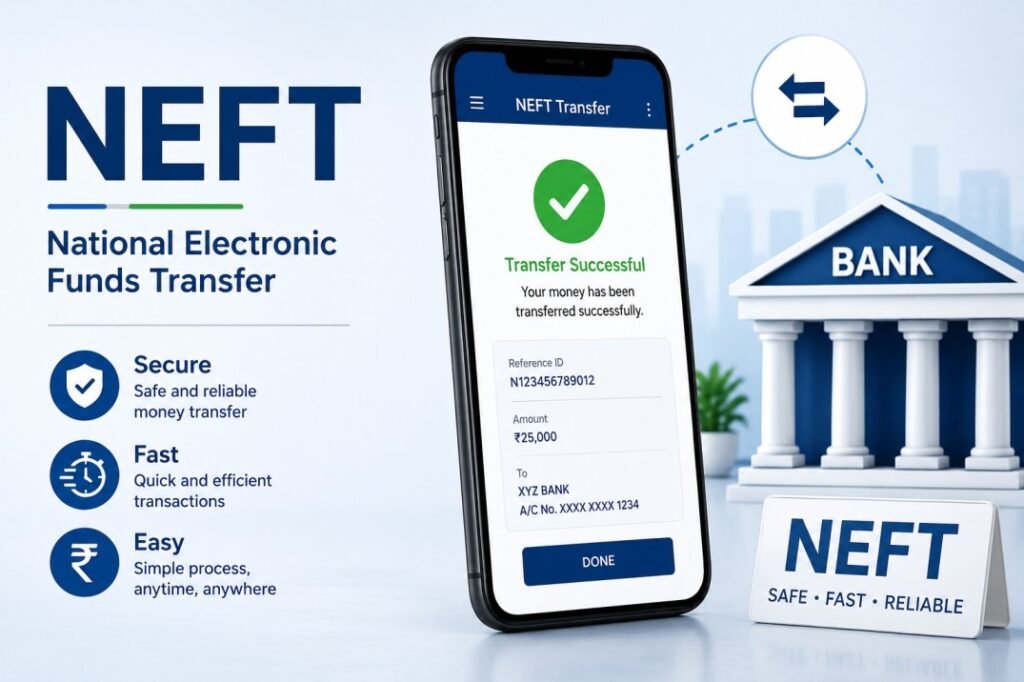
NEFT, or National Electronic Funds Transfer, is an RBI-regulated payment system that allows users to transfer money between bank accounts in batches. Designed primarily for transferring larger amounts securely, NEFT operates on a time-bound batch processing methodology rather than UPI’s instant settlement. Businesses and individuals alike use NEFT for activities such as large-scale payroll disbursement, vendor payments, and fund transfers.
Despite advancements in payment technologies like UPI, NEFT remains indispensable for corporates due to its robust infrastructure, scheduled processing times, and a higher upper limit compared to UPI. With Bajaj Pay, transferring funds via NEFT becomes seamless and hassle-free. Bajaj Pay offers an intuitive interface on the Bajaj Finserv App and website, ensuring secure NEFT money transfers with zero fund transfer charges. As a BBPS-certified platform, Bajaj Pay guarantees reliability while handling payroll or similar bulk transactions.
Whether you’re managing NEFT payroll corporates or transferring funds for other purposes, Bajaj Pay offers ease of use, allowing users to save both time and money.
Features of NEFT on Bajaj Pay
Key Features
- BBPS-certified and RBI-regulated secure payment platform: Bajaj Pay ensures secure NEFT money transfers under RBI’s regulatory framework.
- Zero fees and zero convenience charges: All fund transfers via Bajaj Pay, including NEFT, are completely free.
- Accessible via Bajaj Finserv App and Bajaj Pay website: Use NEFT seamlessly on both online platforms for maximum convenience.
- Multiple payment modes: Choose between UPI, net banking, credit cards, or debit cards when transferring funds.
- Instant payment confirmation: Receive real-time updates and downloadable digital receipts for every NEFT transaction.
- Wide network of banks: Bajaj Pay supports NEFT across major Indian banks, ensuring seamless interbank transfers.
- Scheduled batch processing: Ideal for payroll and vendor payments, NEFT ensures secure and efficient transfers in dedicated batches.
- 24×7 availability: NEFT services on Bajaj Pay are active round-the-clock, ensuring uninterrupted access to corporate users.
Top 5 banks supporting NEFT transactions on Bajaj Pay
Supported Banks
State Bank of India (SBI)
As India’s largest public sector bank, SBI offers extensive NEFT coverage for payroll and fund transfers.
HDFC Bank
Known for its efficient processing speeds, HDFC is the preferred choice for large corporates managing NEFT payroll transfers.
ICICI Bank
ICICI facilitates NEFT transfers with robust infrastructure and quick confirmation, making it ideal for high-volume transactions.
Axis Bank
With its user-friendly banking interface, Axis Bank ensures smooth NEFT disbursements for corporate payroll needs.
Bank of Baroda
Offering wide geographic coverage, Bank of Baroda supports NEFT transfers across urban and rural banking centers.
These banks provide the backbone for NEFT operations, ensuring reliability for businesses using Bajaj Pay for payroll and other fund transfers.
Things to keep in mind before transferring via NEFT
Important Tips
- Ensure correct recipient details: Double-check recipient account number, IFSC code, and beneficiary name for accuracy in NEFT payroll corporate disbursements.
- Account fund sufficiency: Verify that your account has sufficient funds before initiating a NEFT money transfer.
- Consider batch timings: Although NEFT now operates 24×7, transfers are processed in batches; be mindful of possible waiting time.
- Keep transfer limits in mind: Understand the minimum and maximum amount restrictions for NEFT transactions, especially during payroll processing.
- Verify bank charges: While Bajaj Pay charges zero fees for NEFT, recipients’ banks may occasionally levy minimal charges for incoming transfers.
- Access rewards and offers: Explore the Bajaj Pay Offers section for additional cashback and rewards opportunities.
- Save digital receipts: Always download or share transaction receipts for record-keeping or dispute resolution.
Benefits of paying through Bajaj Pay
Key Benefits
- Zero fees and charges: Bajaj Pay allows all NEFT transactions at zero cost with no hidden charges or convenience fees, making payroll and fund transfers even more economical for businesses.
- Rewards and offers: Users can earn Bajaj Pay rewards on eligible NEFT transactions and access exclusive deals via the Offers section on the Bajaj Finserv App.
- Secure and trusted platform: Bajaj Pay’s BBPS-certified infrastructure ensures end-to-end encrypted transactions for maximum security.
- One platform for all payments: Manage payroll, bills, recharges, FASTag payments, money transfers, and more through the Bajaj Finserv App or Bajaj Pay website.
- Instant confirmation: Get real-time updates and digital receipts immediately after completing an NEFT transaction, keeping your records organized without manual effort.
How to transfer money using the Bajaj Finserv App
Follow these easy steps for NEFT money transfers using Bajaj Pay:
Step-by-Step Process
Step 1
Open the Bajaj Finserv App on your smartphone or access the Bajaj Pay website via your browser.
Step 2
Log in with your registered mobile number, or create a new account if you’re using the service for the first time.
Step 3
Navigate to the “Money Transfer” section on the home screen and choose “NEFT” as the transfer mode.
Step 4
Select the recipient’s bank from the available list or enter the bank details manually, including the IFSC code and account number.
Step 5
Enter the desired transfer amount, review recipient details, and select your preferred payment mode.
Step 6
Verify the transaction summary and confirm your NEFT money transfer.
Step 7
Receive real-time confirmation and save or share your digital receipt for payroll or transaction records.
Conclusion
NEFT continues to be the go-to option for large-scale payroll processing due to its batch approach, secure architecture, and high transaction limits, even as UPI dominates personal payments with instant settlement and zero fund transfer charges. Bajaj Pay enhances the NEFT experience for corporate and individual users alike with zero fees, robust security, and seamless usability through the Bajaj Finserv App and website. Whether you’re managing payroll for a multinational corporation or transferring funds within India, Bajaj Pay ensures convenience, cost-efficiency, and reliability every step of the way. Use Bajaj Pay today for all your payment needs, from NEFT money transfers to bill payments and recharges try the Bajaj Finserv App now!
