

Introduction
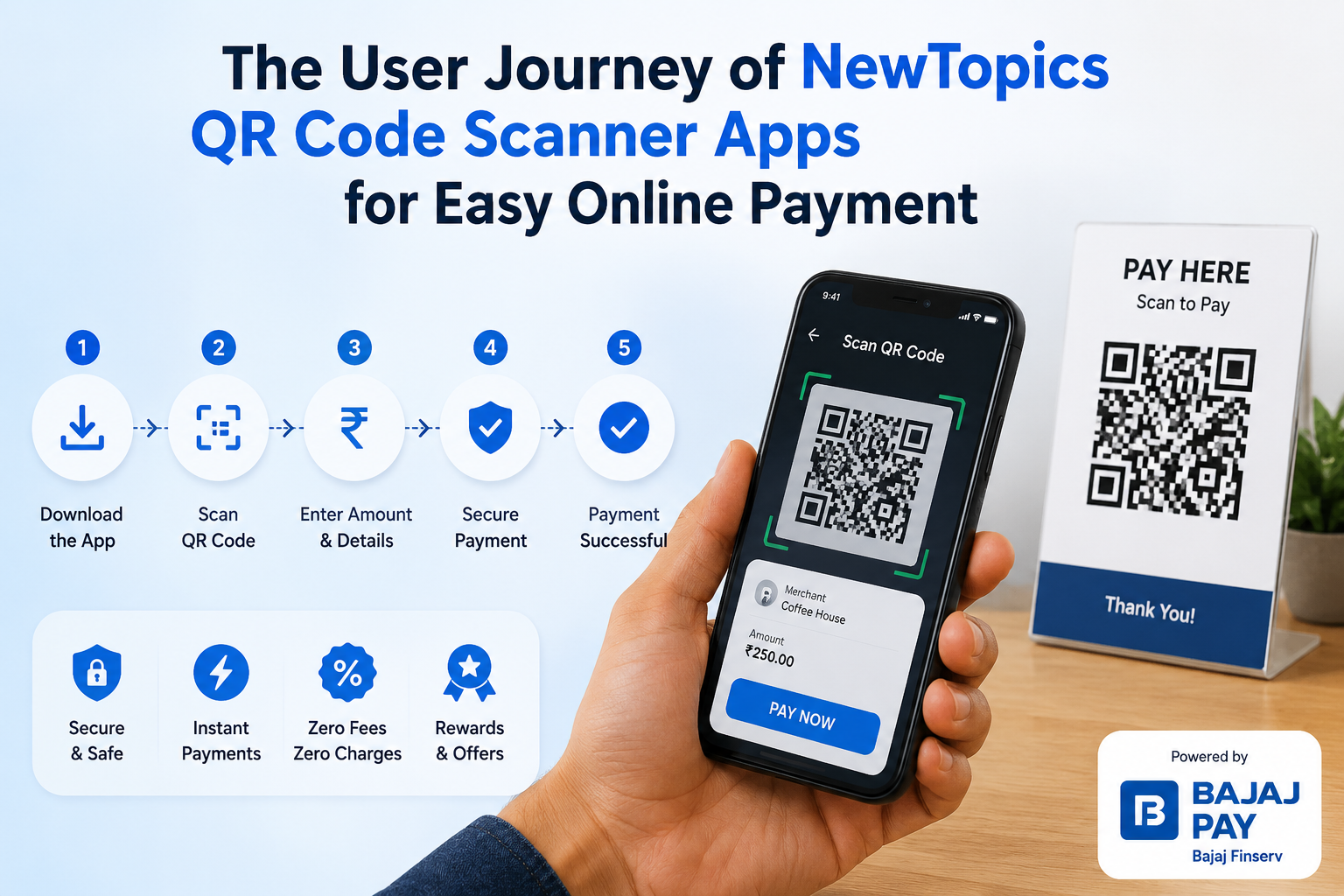
In an increasingly digital world, QR code scanner apps have emerged as a convenient solution for online payments, making transactions easier and more secure. Bajaj Pay, available on the Bajaj Finserv App and website, stands out as a BBPS-enabled platform, offering users a seamless experience with zero fees and zero convenience charges for all payments and recharges.
What is the QR code scanner and how does Bajaj Pay make it easier?
A QR code scanner app is a tool that allows users to scan QR codes with their smartphones, facilitating quick and easy payments. These apps have revolutionized how consumers interact with businesses, enabling transactions without the need for cash or cards. The growing need for contactless payments, especially in a post-pandemic world, has made QR codes an essential part of everyday transactions.
Bajaj Pay simplifies this process by providing a BBPS-enabled infrastructure for secure payments. Users can effortlessly link their bank accounts, set up their profiles, and start scanning QR codes to pay for services or purchases. With zero charges on all transactions, Bajaj Pay empowers users to make payments without worrying about hidden fees, making it an appealing choice for online shoppers and service users alike.
Features of QR code scanner on Bajaj Pay
- BBPS-certified and RBI-regulated secure payment platform
- Zero fees and zero convenience charges on all transactions
- Accessible via the Bajaj Finserv App and Bajaj Pay website
- Multiple payment modes including UPI, Net Banking, and debit or credit card
- Instant payment confirmation with digital receipts
- Wide network of billers, operators, and service providers
- Auto-pay option for recurring payments
- 24×7 availability for uninterrupted access
Top 5 billers/operators/service providers for QR code scanning on Bajaj Pay
Paytm
- Category: Mobile wallet
- Coverage: Nationwide
- Notable Feature: Instant processing with multiple cashback offers
Airtel
- Category: Telecom operator
- Coverage: Wide national reach
- Notable Feature: Offers dedicated customer service for quick query resolution
Reliance Jio
- Category: Telecom operator
- Coverage: Nationwide
- Notable Feature: Suitable for bulk recharges and data plans
HDFC Bank
- Category: Bank
- Coverage: Comprehensive geographical reach
- Notable Feature: Seamless money transfers and bill payments
Tata Power
- Category: Utility provider
- Coverage: National
- Notable Feature: Environmentally-friendly energy options and auto-pay set-up
Things to keep in mind before paying with a QR code
- Keep your registered mobile number handy to link with your QR code scanner app.
- Confirm payment due dates to avoid service interruptions.
- Double-check the details of the biller or operator before finalizing your transaction.
- Utilize the auto-pay function for regular payments to avoid late fees.
- Browse the Offers and Rewards section on Bajaj Pay to maximize savings.
- Ensure a stable internet connection for smooth transactions.
- Save digital receipts for easy reference or to resolve disputes in the future.
Benefits of paying through Bajaj Pay
Zero fees and charges
All payments through Bajaj Pay are completely free with no hidden fees, allowing users to save money.
Rewards and offers
Users earn Bajaj Pay rewards on eligible transactions, gaining access to exclusive cashback deals and partner offers.
Secure and trusted platform
As a BBPS-certified service backed by Bajaj Finserv, Bajaj Pay guarantees the highest level of security with end-to-end encryption for every transaction, helping users stay protected against a potential qr code scam while making digital payments.
One platform for all payments
Users can manage bill payments, recharges, money transfers, and more—all from a single app, eliminating the need to switch between multiple platforms.
Instant confirmation
Each transaction results in real-time confirmation and a downloadable digital receipt, ensuring accountability.
How to pay using the Bajaj Finserv App
Step 1
Open the Bajaj Finserv App on your smartphone or visit the Bajaj Pay website.
Step 2
Log in using your registered mobile number or create a new account if you’re a first-time user.
Step 3
Navigate to the ‘Payments’ section from the home screen.
Step 4
Choose your preferred service provider or biller from the list available.
Step 5
Enter the required details, such as your consumer ID or account number.
Step 6
Verify the payment amount and select your payment mode (e.g., UPI or debit card).
Step 7
Confirm the transaction and save your digital receipt for future reference.
Conclusion
Using Bajaj Pay for transactions via QR code scanner apps provides users with unparalleled convenience, security, and cost-effectiveness. With benefits such as zero fees, immediate payment confirmations, and exciting rewards, Bajaj Pay stands as a reliable choice for all your online payments. Embrace the ease of the Bajaj Finserv App or visit the Bajaj Pay website today and transform your transaction experience with a QR code scanner app.
