

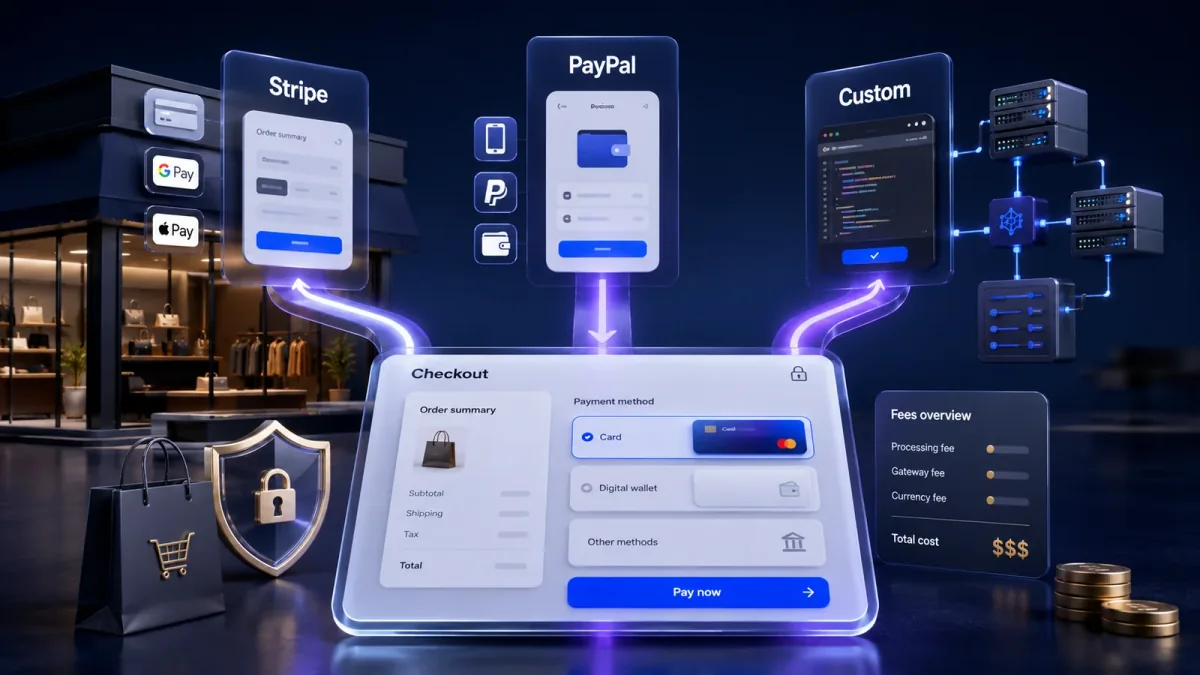
Stripe vs PayPal vs custom payment gateway options offer different levels of convenience, cost, checkout control and technical complexity. The right choice depends on your customers, ecommerce platform, sales volume, supported countries and future growth plans.
A reliable payment system is one of the most important parts of an online store. Customers may trust the brand, add products to their cart and complete their shipping information, but the sale can still be lost when payment is confusing, slow or unreliable.
Stripe and PayPal provide established payment services that can reduce development time. A custom payment solution may provide greater flexibility, although it normally requires more technical work, testing and maintenance.
This guide explains seven checks that can help an ecommerce business choose the most suitable payment option.
Table of Contents
- Quick comparison
- Transaction fees and total costs
- Checkout experience
- Payment methods and international support
- Checkout control and customization
- Security and fraud responsibilities
- Payouts, refunds and disputes
- Integration and future scalability
Stripe vs PayPal vs Custom Payment Gateway: Quick Comparison
Stripe is commonly selected by businesses that want a flexible and customizable checkout. It provides tools that developers can use to create payment forms, subscriptions, marketplace payments and other payment workflows.
PayPal provides a recognizable payment option that allows customers to pay through a PayPal account or supported card methods. Its familiarity may help customers who already use and trust the service.
A custom payment gateway or deeply customized payment system may suit larger businesses with specialized checkout requirements, complex billing rules or connections with internal software.
Here is a simple overview:
| Payment option | May be suitable for | Main consideration |
|---|---|---|
| Stripe | Growing ecommerce stores and subscription businesses | Requires appropriate technical setup |
| PayPal | Stores that want a familiar customer payment option | Checkout and account experience may be less customizable |
| Custom solution | Large, specialized or complex ecommerce platforms | Higher development, security and maintenance responsibilities |
No option is automatically best for every business. Therefore, the decision should be based on the complete payment process rather than brand popularity alone.
1. Compare Transaction Fees and Total Costs
Transaction fees are often the first factor businesses compare. However, the advertised percentage may not represent the complete expense.
Depending on the provider, country and transaction type, payment-related costs may include:
- Setup charges
- Monthly account fees
- Per-transaction charges
- International card fees
- Currency-conversion charges
- Refund-related costs
- Chargeback or dispute fees
- Payout charges
- Subscription-payment costs
- Fraud-protection tools
- Developer and maintenance expenses
For example, a provider with no monthly subscription may still become expensive when a store receives a high number of international payments. Similarly, a custom payment solution may reduce dependence on some provider features but introduce significant development and maintenance costs.
Estimate the monthly cost using:
- Expected number of orders
- Average order value
- Percentage of international transactions
- Main customer currencies
- Expected refund rate
- Subscription or recurring-payment needs
- Technical support expenses
For a more detailed analysis, read this Stripe vs PayPal vs custom payment gateway comparison covering fees, checkout control, security and long-term suitability.
Use this GFXSAGA link only once in the article.
2. Review the Ecommerce Checkout Experience
The payment system should make checkout easier for customers.
A complicated payment process can increase frustration and cause shoppers to leave before completing the order. Therefore, every payment option should be tested on desktop and mobile devices.
Check whether:
- The payment form loads quickly
- The instructions are clear
- Customers can use familiar payment methods
- The design matches the store
- Form fields are easy to complete on mobile
- Error messages explain the problem
- Customers can retry failed payments
- Duplicate payments are prevented
- Order confirmation appears immediately
- Confirmation emails contain correct information
Stripe can support highly customized checkout experiences when properly integrated. PayPal may direct customers through a familiar PayPal-branded payment flow, depending on the selected integration.
A custom solution may provide greater control over the complete checkout experience. However, more control also means the business must test and maintain more parts of the system.
The best checkout is not necessarily the most advanced one. It is the checkout that allows customers to pay with the least confusion.
3. Compare Payment Methods and International Support
Customers do not all prefer the same payment method.
Some customers use debit or credit cards. Others prefer digital wallets, bank transfers or regional payment options. International shoppers may also expect to pay in their local currency.
Before choosing a solution, review:
- Supported card networks
- Digital wallet availability
- Local payment methods
- Supported countries
- Supported currencies
- Currency-conversion process
- Subscription payments
- Recurring billing
- Mobile payment compatibility
- Marketplace or split-payment support
Stripe may be useful for businesses that need multiple payment methods or customized billing. PayPal may appeal to customers who prefer using an existing PayPal account.
A custom payment system may support highly specialized payment rules. Nevertheless, the business must still work with payment processors, banks or other financial service providers.
Do not add every available payment method simply to make the checkout look more advanced. Too many options can create confusion. Instead, prioritize the methods customers are most likely to use.
4. Decide How Much Checkout Control You Need
The amount of control required should influence the final decision.
A smaller store may need only a secure payment form, basic refunds and reliable order confirmations. In this situation, an established payment provider may be sufficient.
A growing or specialized business may require:
- Customized checkout fields
- Subscription plans
- Recurring billing rules
- Marketplace payments
- Split payments between sellers
- Deposits or partial payments
- Payment authorization before capture
- Custom customer accounts
- Industry-specific approval processes
- Connections with internal software
- Advanced payment reporting
Stripe generally offers more flexibility for developers who want to build customized payment experiences.
PayPal can be easier to recognize and use for customers who already have PayPal accounts. However, some businesses may have less control over parts of the PayPal-branded experience.
A custom payment gateway may offer the greatest flexibility. Still, it can also create the greatest technical and security responsibility.
Businesses should avoid building a complex custom system before there is a genuine operational need. A standard provider can often support the early stages of an ecommerce business more efficiently.
5. Review Security and Fraud Responsibilities
Security is an essential part of any ecommerce payment system.
Businesses should understand which security responsibilities are handled by the provider and which remain with the merchant.
Review:
- Where customers enter card information
- Whether sensitive data reaches the store’s server
- How payment data is encrypted
- Whether tokenization is available
- Which company stores payment information
- How suspicious transactions are identified
- Whether customer authentication is supported
- How administrator accounts are protected
- How staff access is controlled
- Which compliance requirements apply
Using Stripe or PayPal does not remove every security responsibility. The ecommerce website, plugins, administrator accounts, applications and staff permissions must also be protected.
Use strong passwords, multi-factor authentication and restricted staff access. In addition, keep the ecommerce platform, theme and applications updated.
A custom payment solution requires even more careful security planning. The business may need ongoing monitoring, specialist developers, security testing and documented procedures.
Fraud controls should also be balanced. Weak controls may allow suspicious transactions, while overly strict settings may reject genuine customers.
6. Compare Payouts, Refunds and Chargebacks
Payment management continues after the customer completes checkout.
Businesses must understand how funds are transferred, how refunds are issued and how disputes are handled.
Before choosing a payment solution, confirm:
- Standard payout time
- Minimum payout amount
- Supported payout currencies
- Bank-transfer costs
- Reserve or holding policies
- Full refund process
- Partial refund support
- Refund processing time
- Dispute-notification process
- Chargeback fees
- Evidence-submission procedure
- Accounting and reporting options
Payout timing can affect business cash flow. For example, an ecommerce store may need to pay suppliers, shipping companies or advertising platforms before customer funds reach the bank account.
Refunds should also be tested before launch. Staff members should understand how to issue full and partial refunds and how long customers may need to wait.
Stripe and PayPal provide dashboards for managing transactions, refunds and disputes. A custom solution may provide specialized reporting, but the business may need to build or integrate those tools.
7. Test Integration and Future Scalability
A payment option must work correctly with the complete ecommerce system.
Before going live, test:
- Successful payments
- Declined transactions
- Incorrect payment details
- Mobile checkout
- Different browsers
- Full refunds
- Partial refunds
- Duplicate-payment prevention
- Interrupted internet connections
- Confirmation emails
- Order-status updates
- Inventory changes
- Tax calculations
- Shipping calculations
- Discount codes
- International transactions
The charged amount should always match the final order total, including taxes, shipping, discounts and currency conversion.
The payment solution may also need to connect with:
- Ecommerce platform
- Inventory software
- Accounting system
- Subscription application
- Tax tools
- Shipping services
- Customer email system
- Customer relationship management software
- Analytics and order tracking
Official integrations can reduce setup time and compatibility problems. However, they should still be tested after major platform, plugin or payment-provider updates.
Custom integrations should include complete technical documentation. A business should not depend on one developer who is the only person who understands the payment system.
Which Payment Option Is Better?
Stripe may be a strong choice for businesses that need:
- Customizable checkout
- Developer tools
- Subscription payments
- Multiple payment methods
- Marketplace functionality
- Flexible integrations
PayPal may be useful for businesses that want:
- A familiar customer payment option
- PayPal account payments
- Fast implementation
- Recognizable buyer experience
- An additional checkout choice alongside card payments
A custom solution may be appropriate when a business requires:
- Highly specialized payment workflows
- Complex marketplace rules
- Custom reporting
- Internal software integration
- Greater checkout control
- Large-scale technical customization
Many ecommerce businesses do not need to select only one option. For example, a store may use Stripe for card processing while also offering PayPal as an additional checkout method.
The correct combination depends on customer preferences, business location and technical requirements.
Final Payment Gateway Checklist
Before making the final decision, confirm that you have:
- Compared total costs rather than one transaction rate
- Identified customer payment preferences
- Tested mobile and desktop checkout
- Reviewed supported countries and currencies
- Checked subscription requirements
- Reviewed security responsibilities
- Confirmed payout schedules
- Tested refunds and failed payments
- Reviewed dispute procedures
- Confirmed ecommerce platform compatibility
- Considered future business growth
- Tested the complete order process
Choosing between Stripe vs PayPal vs custom payment gateway options requires more than comparing one fee.
Stripe may suit businesses that need flexibility and developer-friendly tools. PayPal may appeal to customers who prefer a familiar payment account. A custom solution may be appropriate when a large or specialized business needs unique payment workflows and deeper technical control.
Select the payment option that meets current customer needs while providing enough flexibility for future ecommerce growth.
